Case Study: A Simple Squarespace Fix for Logo Visibility on Blog Posts
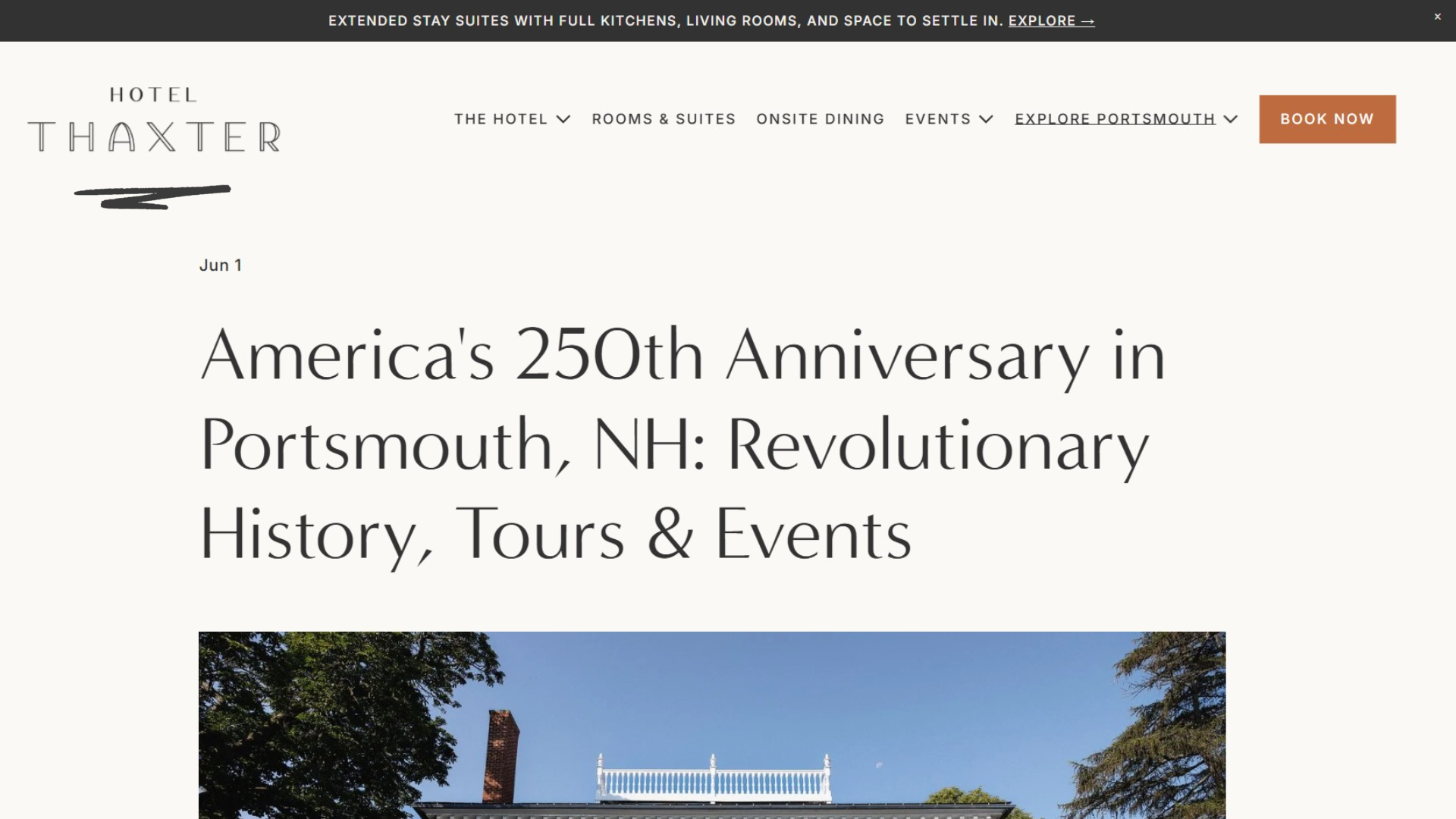
Sometimes the little things are the most annoying.
I was recently working on a hotel website and noticed something that had been hiding in plain sight. The site used a white logo in the header, which looked great on the homepage and most interior pages because there were dark images behind it. But on individual blog posts? Not so much.
The logo was sitting on a light background and was barely visible.
It wasn't a major issue, but once I noticed it, I couldn't unsee it.
The Problem
The site's header was designed to be transparent, and the white logo worked perfectly across most of the website.
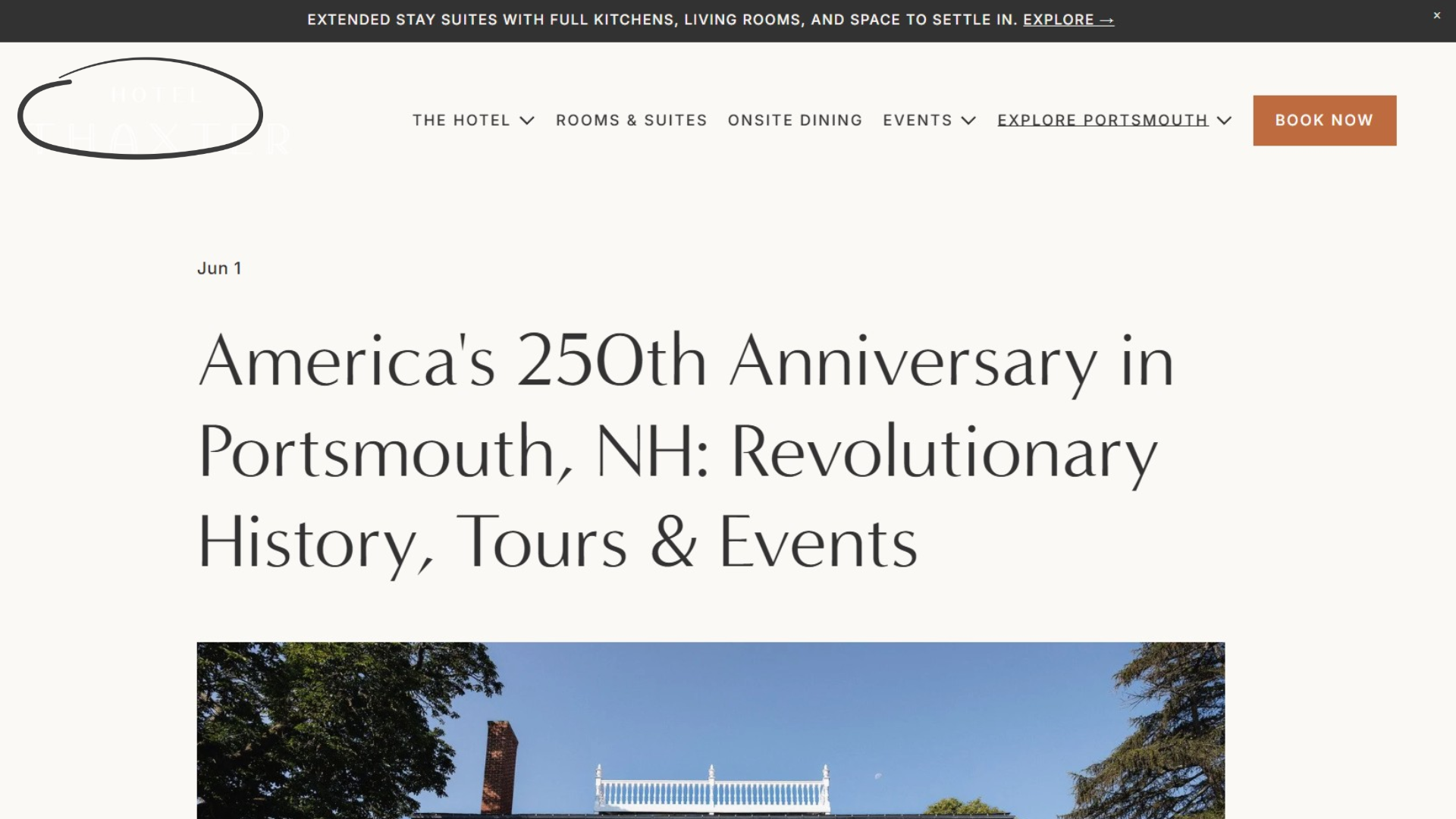
The problem was that blog posts had a much lighter background at the top of the page. The result was a logo with very little contrast, making it harder to read and diminishing the overall polish of the experience.
Here's what it looked like before:
I could have changed the logo site-wide, but that would have created a new problem everywhere else.
Looking for a Better Solution
Instead of changing the logo globally, I wanted a way to display a different logo only on blog posts while leaving the rest of the site untouched.
After inspecting the page structure, I found that Squarespace applies unique classes to individual blog post pages. That meant I could target only those pages with a small CSS customization.
The Fix
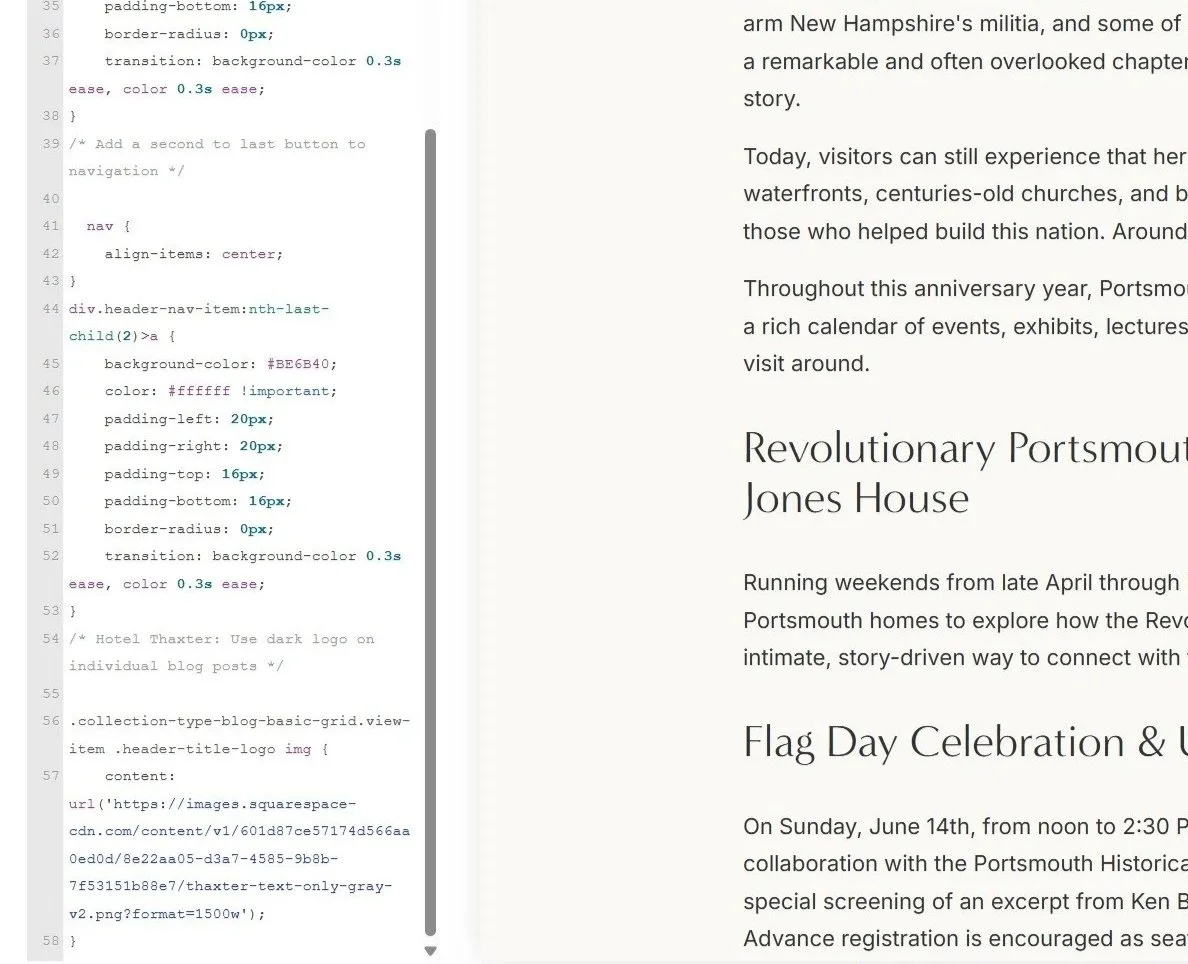
I uploaded a darker version of the logo and used a few lines of CSS to swap the image only on blog posts.
Nothing else changed.
The homepage still uses the white logo. Interior pages still use the white logo. Only blog posts display the darker version.
Here's a quick look at the implementation:
The Result
A small change, but a noticeable improvement.
The logo is now easy to read on blog posts while the rest of the site's design remains exactly as intended.
Why I Like Solutions Like This
One of the things I enjoy most about website work is finding fixes that solve a problem without creating new ones.
Sometimes a project doesn't need a redesign. It just needs a little attention to detail.
In this case, a few lines of CSS improved the user experience, preserved the original design, and took less time than rebuilding the header.
Those are my favorite kinds of wins.
Services Used
Squarespace Development
Front-End CSS Customization
Website Design
User Experience (UX)
Hospitality Website Consulting
Sometimes you just need someone to figure it out.
From small website fixes to full redesigns, I help businesses create websites that work better for both visitors and search engines.